
Articles – Access Control
Mobile Access Control: How Phones Replace Keys and Cards in Commercial Buildings
Most commercial buildings still run on plastic: cards that get lost, fobs that get shared, and keys that nobody can...



A tenant needs a new starter added. A facilities team needs a contractor let in for an afternoon. A department needs a meeting room opened for a client arriving at two. Each request travels to the same administrator, who has other work and is not always at a desk.
Two costs follow, and only one of them is obvious.
The first is delay. Someone stands at a door, or waits for a credential, while a request sits in a queue.
The second is quieter and more expensive. Permissions that should have been removed stay granted, because removals have nobody waiting on them. No one stands at a door complaining that a former contractor can still open it. Grants get chased and removals do not, so over time the building ends up with more people able to open more doors than anyone decided.
Put plainly: stopping the wrong person is what the system is for, but letting the right person in without waiting is what decides whether it works day to day. A single administrator is the usual reason it does not.
Readers who work in IT will know the term from somewhere else. In identity management, delegated access means permission to act inside a system or on another person's behalf, as an administrative unit in Microsoft Entra ID lets one team manage a subset of user accounts. Same idea, different object. Here the object is doors. The two only meet where one organization occupies the building, so the directory and the building hold the same people.
Suppliers name it differently: a sub-account, a restricted admin, a partition, or an administrator scope, which is the set of door groups one person is allowed to manage. All describe the same arrangement.
A delegation model is a hierarchy of four levels. What makes each level safe is not what it can do but the boundary attached to it.
The facility manager or property manager responsible for the whole building. They collect doors into groups, create a group for each tenant or department, and decide which doors it may open and when. They appoint the managers below, set how many credentials each may hand out, and see every door, grant, and access event.
Usually one per tenant in a multi-tenant building, the store manager in a retail estate, or the department or floor manager where one organization occupies the building. They pass the group’s access to the people who need it, up to a limit the administrator has set, and withdraw it when someone leaves. They cannot change which doors the group reaches, cannot see other tenants, and cannot raise their own limit.
They hold a credential and open the doors the group allows. Where the administrator permits it, they may pass that access to another person, but only the access they already hold.
Contractors, cleaners, suppliers, and visitors. They receive the same access as everyone else in the group, with an end date attached when it is granted.
Authority narrows at every step, and the boundary is always set one level up. If anyone can increase their own permissions, the boundary is not a boundary.
One feature of this model is a design choice rather than a shortcoming. Everyone inside a tenant group holds the same access: the administrator decides which doors the group reaches, and the manager decides who is in it. It keeps the manager’s job down to one question: does this person need access or not?
| Level | May grant | May revoke | May see | Cannot do |
|---|---|---|---|---|
| Administrator | Any access, anywhere in the building | Any access, at any level | Every door, every group, every access event | Little, which is why the level should be held by few people |
| Tenant manager | The group's access, up to their credential limit | Any credential they have passed on | Their own people and their own access events | Change which doors the group reaches, see other tenants, or increase their limit |
| Everyday user | The access they already hold, where this is permitted | Access they have passed on | Their own credential and the doors it opens | Change their own access |
| External party | Nothing | Nothing | Nothing beyond their own access | Administer anything, or hold access past its end date |

Delegating the work does not delegate the accountability. Five things stay with the administrator, however much of the day-to-day work moves down the hierarchy.
Which doors belong to which group, which group belongs to which tenant, and at what hours. Tenants work inside this map and cannot redraw it.
Not only the access the administrator issued, but everything passed on at every level below.
It has to record who granted access as well as who used it, because knowing someone opened a door does not tell you who let them. That is the question when rights are withdrawn or somebody leaves, and the record should stay in the system after the person is gone.
A single credential, a manager's authority, or an entire tenant's access, withdrawn without asking anyone.
How many credentials a manager may hand out, how long a grant to an outsider may last, and which hours it covers. Limits are what make the other four manageable rather than theoretical.
Platforms differ in how far they take this. On the ATLAS platform the administrator sets a maximum number of users within a group, so a manager's sharing is capped, and credentials given to people outside the organization carry an expiry date. Access events stay in the system when a person is removed, so the history remains reviewable.
Delegation without those five is not delegation. It is loss of control with extra steps, and the gap only shows up when someone asks who let a particular person in.
What changes between building types is not only how far authority travels. It is where the list of people comes from.
A multi-tenant commercial building. No shared staff directory exists, because each tenant is a different organization with its own employees. The administrator creates a group for each tenant, with the doors and hours that tenant may use, and the tenant manager decides who goes into it. Shared areas stay with the administrator: main entrances, the car park, and the technical rooms. No tenant manages those. A retail estate works the same way, one group per store.
A building occupied by one organization. Everyone belongs to the same employer, so an identity directory can do most of the work. Employees appear and disappear through the systems the organization already runs, an identity directory such as Microsoft Entra ID or an HR system (connected through an API), without anyone adding them by hand, and delegation runs by department or floor rather than by tenant. What delegates still handle is everyone a directory will never contain: visitors and contractors.
A coworking or flexible space. The highest turnover of the three, with a group per member company and authority reaching whoever runs it. Expiry is the main control, because memberships end more often than they are formally revoked.
| Building type | Where the people list comes from | Authority reaches | Main control |
|---|---|---|---|
| Multi-tenant building | A group per tenant, created by the administrator | Tenant manager | Isolation between tenants |
| Building with one organization | The organization's own identity directory | Department or floor manager | Directory synchronization |
| Coworking space | A group per member company | Member company contact | Expiry dates |
Contractor access management is the everyday case, and the one where central administration fails most visibly. These people are not on any employee list, they change constantly, and the person who knows they are coming is never the administrator.
Three things make it work. Contractors are given access through the tenant’s group rather than as individual exceptions, so a cleaning company holds the same access as the tenant’s own people. Every grant carries an expiry from the moment it is made, so access ends by default instead of ending when somebody remembers. And the manager who knows the visit is happening can issue the access from their own phone, inside the limit they hold.
What must stay centrally visible is the result: who was granted access, by whom, to which doors, and until when.
On the ATLAS platform these people are held in external user groups. The tenant manager sends the invitation from their phone, and the contractor receives the same access as the tenant’s own people, with an expiration date attached. Withdrawing the invitation takes the access back without touching anyone else.
Three kinds of door should stay with the administrator however well the model works.
Doors protecting the building’s own infrastructure: service shafts, machine rooms, server and equipment cabinets, and roof access. No tenant has a reason to reach them, and no tenant manager should be able to grant that reach.
Rooms covered by regulation, where one named person is legally answerable for what happens inside, such as a pharmacy stockroom or a high-voltage switchroom. Giving someone else the power to grant access does not move the legal responsibility, so that room should not be delegated: the person answerable for it decides who goes in.
Situations where the delegate has no way to judge whether a request is legitimate. A store manager can tell whether the supplier at the door is expected. Nobody at the tenant level can tell whether an engineer asking for the server room is who they say they are.
There is a fourth failure, less discussed because it develops slowly. A manager who leaves gets replaced quickly, because nothing works until they are. The people they added get no such attention. The remedy is to take access back on the day someone leaves, which happens far more reliably when withdrawing is as quick as granting, one action on the same phone. Checking each group every few months finds the people who should have been removed and were not.
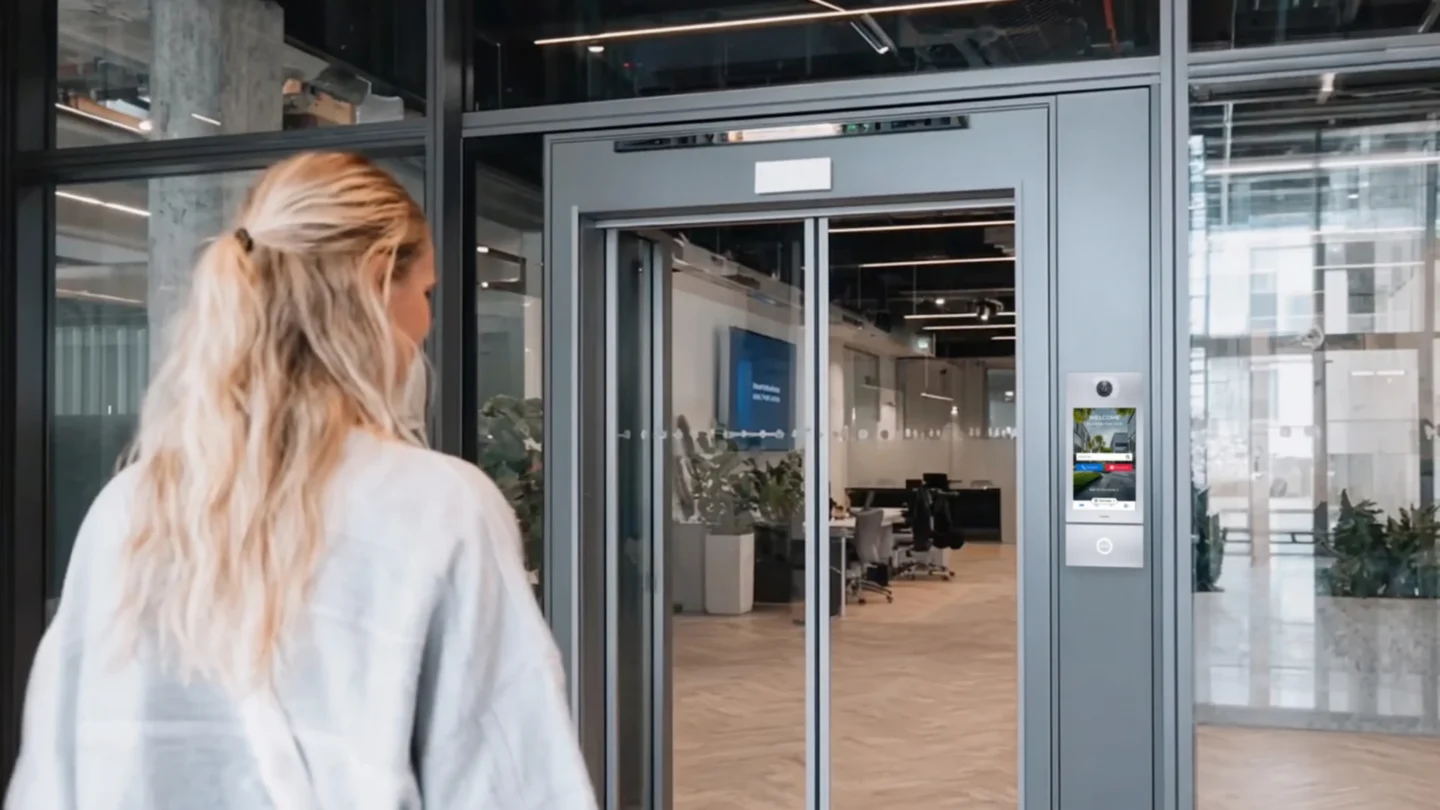
Staff resistance to phone-based credentials is usually not about technology. It is about the suspicion that installing an employer’s app on a personal device means being tracked.
Staff resistance to phone-based credentials is usually not about technology. It is about the suspicion that installing an employer’s app on a personal device means being tracked.
What is recorded is which credential opened which door, and at what time. That is the same event a card system has always recorded. It produces an audit trail showing that a particular person entered a particular room at a particular moment.
What is not recorded is movement between doors, location anywhere outside the building, or anything else from the phone. A door event is a single point in time and space. It says nothing about where someone went afterwards.
These records are personal data under GDPR, which carries three obligations. The purpose of the processing has to be defined and stated. The retention period has to be set and documented rather than left indefinite. Access to the records has to be limited to people who need them for that stated purpose.
The one addition worth making beyond the legal minimum is to settle the question of attendance monitoring before the system goes live. Door events look like timekeeping data, and an organization that starts using them that way after the fact, without having said so, turns a quiet rollout into a dispute.
Scoping is the mechanism underneath everything above, and it is built from three objects.
Door groups. Doors are collected into groups rather than managed individually: one tenant’s floor, one store and its stockroom, or the meeting rooms on level three.
User groups. People are collected the same way. Where the organization has an identity directory, employees can be synchronized from it. Where it does not, which is the normal case across tenants, the administrator creates a group for each tenant and people are added to it afterwards.
The binding between them. A permission joins a user group to a door group, with a time schedule attached, and those three together define who can open which doors at which times. On the ATLAS platform this is an access profile. If one of the three parts is missing, the portal tells you, so you do not end up with a rule that quietly does nothing.
An administrator’s scope is the set of groups they have been given, and everything outside it should be hidden rather than shown but locked. If a tenant manager could see a list of every door in the building, they would learn its layout and who else is in it, even without being able to open any of them. ATLAS hides what is out of scope.
There is a simpler version of the same arrangement. Rather than a cut-down copy of the administrator's screen, the tenant manager can be given no screen at all. The group's access is already defined, so their only actions are to pass it to a person and take it back, which an app does well. On the ATLAS platform that is what the owner of a group does. Employees and contractors go through the same step, and what differs is how long the access lasts.
Two consequences follow. Because permissions point at groups rather than individual doors, moving a door between groups updates access for everyone bound to it. And because the view reads both ways, from a group to its doors or a door to its groups, an administrator can answer "who can open this door" directly.
Giving someone the ability to grant, change, or withdraw access for a defined group of people, inside a boundary they cannot cross. The administrator sets that boundary as a scope of door groups and keeps the record of everything done inside it. In most access control software it appears as a sub-admin or restricted admin account.
The same idea applied to a different object. In identity management it is permission to act inside a system or on another person's behalf. Here it is permission to open doors and to grant that permission to others.
Five things: the zone definitions, visibility of every grant at every level, an audit trail recording who granted access and not only who used it, instant revocation at any level, and limits on how many credentials a manager may hand out and for how long.
They should not be able to, and it is the first question to put to a supplier. Isolation between tenants is what makes the model acceptable in a commercial building, and it should be enforced by the platform rather than by agreement.
As people the tenant brings in rather than employs, they are given access through the tenant’s group, so they hold the same access as the tenant’s own people. Every grant carries an end date, so it expires rather than waiting to be noticed. The manager who knows about the visit issues it from their phone.
This is the failure nobody plans for. A manager can withdraw access from the people in their group, but not from their own authority, so somebody else has to act. Where the manager belongs to the building’s own organization, an identity directory removes that authority along with everything else. Where they work for a tenant, there is no directory to do it, so the administrator withdraws the authority and passes it to someone else. It is the argument for scheduling a review.
Most commercial buildings still run on plastic: cards that get lost, fobs that get shared, and keys that nobody can...

Buying access control used to mean a capital project: a server, controller cabinets in a riser, cabling to every door,...